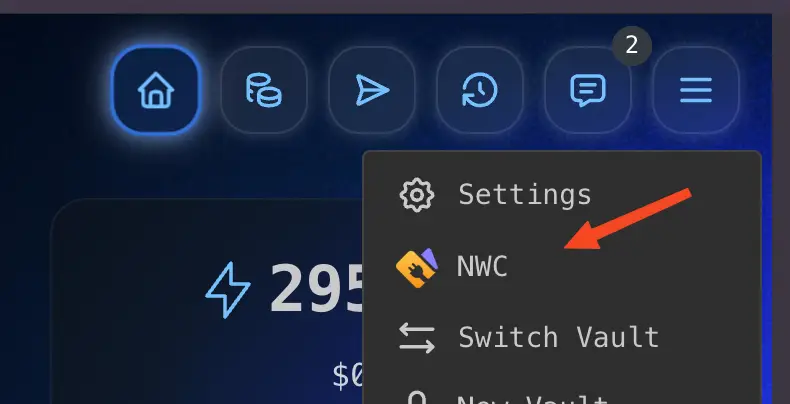
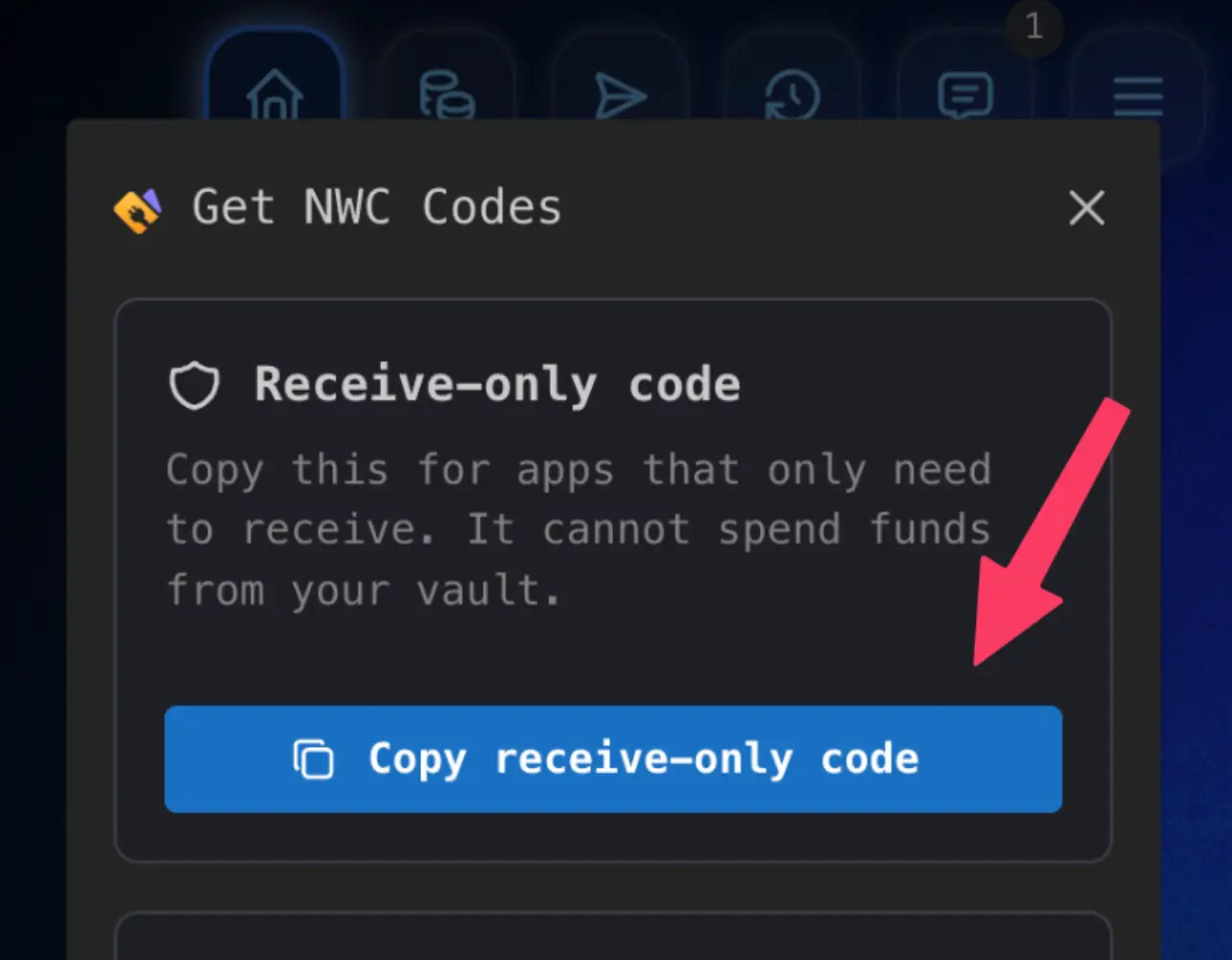
- Open Rizful and tap the menu.
- Tap NWC.
- Tap Receive-only NWC Code.
- Tap Copy receive-only code and paste it into OpenReceive.
Tutorial: Get a read-only NWC code from Rizful

Receive payments
A NWC code allows you to securely receive payments with OpenReceive.
NWC is built on the NIP-47 open source standard.
Choose from any provider below or build your own NWC service.
Tutorial: Get a read-only NWC code from Rizful
nostr+walletconnect:// URL or scan the QR code.Links: Alby Hub guide
NWC is an open standard, so a team can run its own wallet service, choose its relays, and define the exact receive-only behavior it wants.
This requires significant work and is better suited for enterprise deployments or dedicated engineering teams.
Read NIP-47Zeus can issue NWC strings from its Nostr Wallet Connect service on recent versions.
make_invoice.pay_invoice and keysend permissions off, then copy the connection string.Links: Zeus docs
LNbits can mint scoped NWC connections through the NWCProvider extension.
make_invoice; do not grant pay_invoice.Links: NWCProvider repo LNbits overview
For node operators, CLN plugins can create receive-only NWC connections with a zero spend budget.