Swap provider

Set up a swap provider

Allow purchasers to pay with USDT, USDC, ETH, or SOL. The swap provider securely converts the amount to Bitcoin Lightning.

Create API credentials with a recommended provider below, or build your own, then set the resulting Lightning Swap Connect URI as LSC_URI_PRIMARY in your server environment.

Recommended

Lightning Swap

Lightning Swap is a lightning-native swap service. Create one API key in the dashboard, then copy the Lightning Swap Connect URI into your server environment as LSC_URI_PRIMARY.
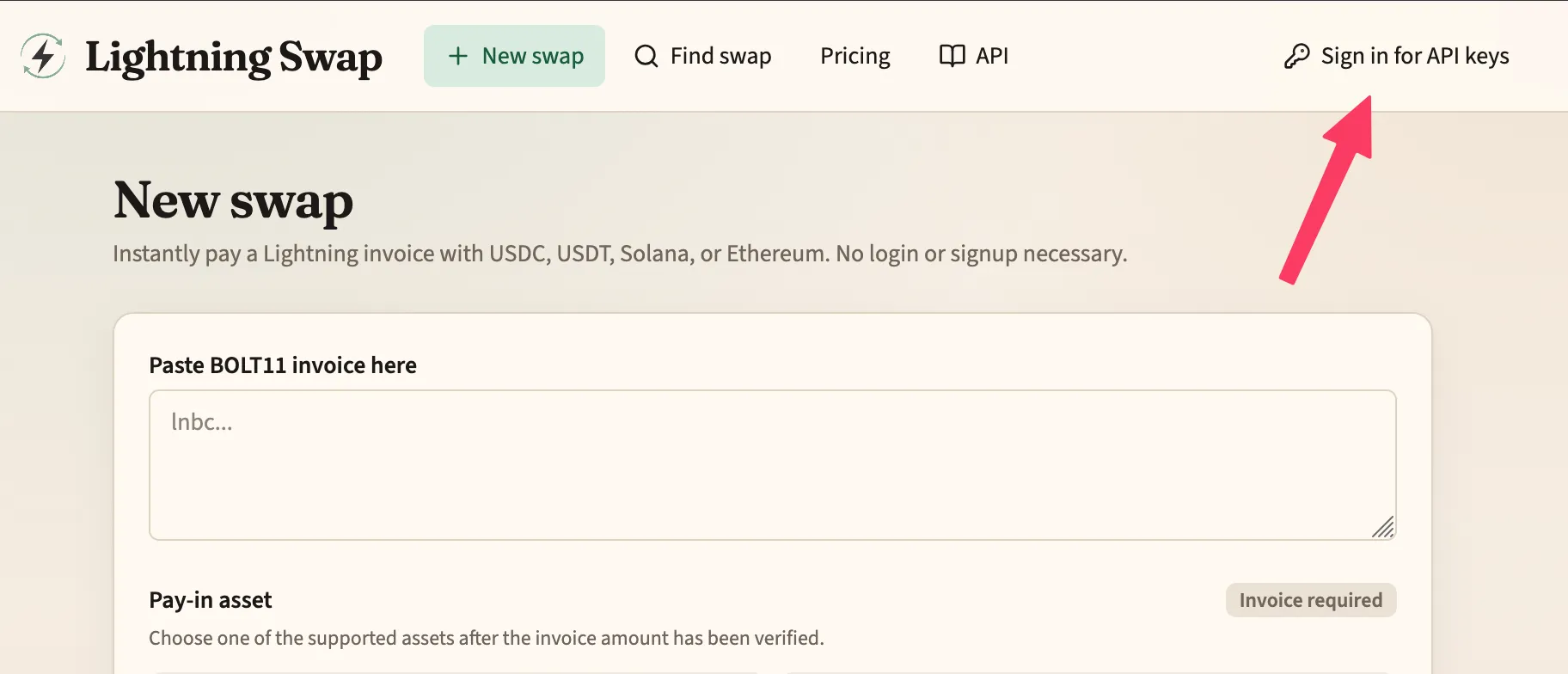
Lightning Swap homepage with Sign in for API keys highlighted
Open lightning-swap.com and choose Sign in for API keys.
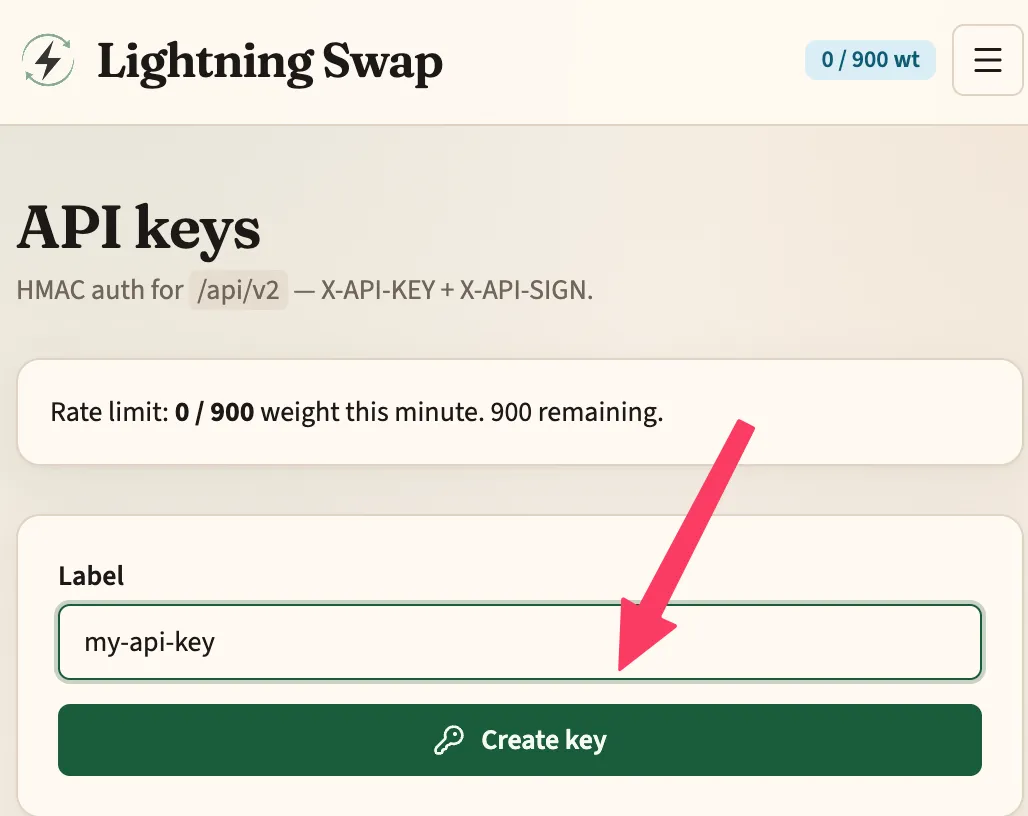
Lightning Swap API keys page with Create key form
Enter a label, then tap Create key.
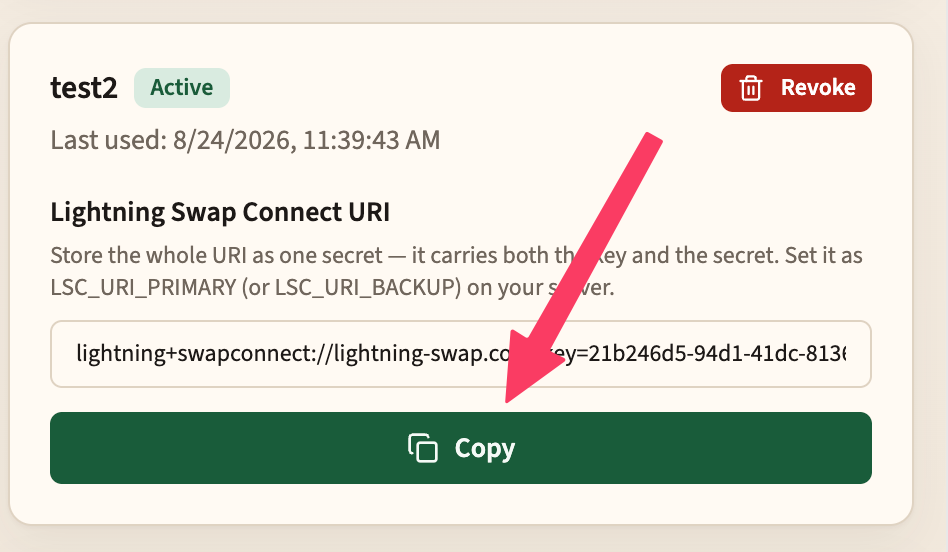
Lightning Swap API key detail showing the Lightning Swap Connect URI and Copy button
Tap Copy to copy the Lightning Swap Connect URI.
  1. Go to lightning-swap.com and tap Sign in for API keys.
  2. Sign in, then open the API keys page.
  3. Enter a label and tap Create key.
  4. Tap Copy to copy the Lightning Swap Connect URI. Store the whole URI as one secret — it carries both the key and the secret.
  5. Set it on your server as the LSC_URI_PRIMARY environment variable (use LSC_URI_BACKUP for a backup provider, which is consulted only when the primary is unreachable).

.env (or however you add environment variables)

LSC_URI_PRIMARY=lightning+swapconnect://lightning-swap.com/?key=…&secret=…
Recommended

FixedFloat

Create one API key in Account settings, then fold the key and secret into a Lightning Swap Connect URI and set it as LSC_URI_PRIMARY.

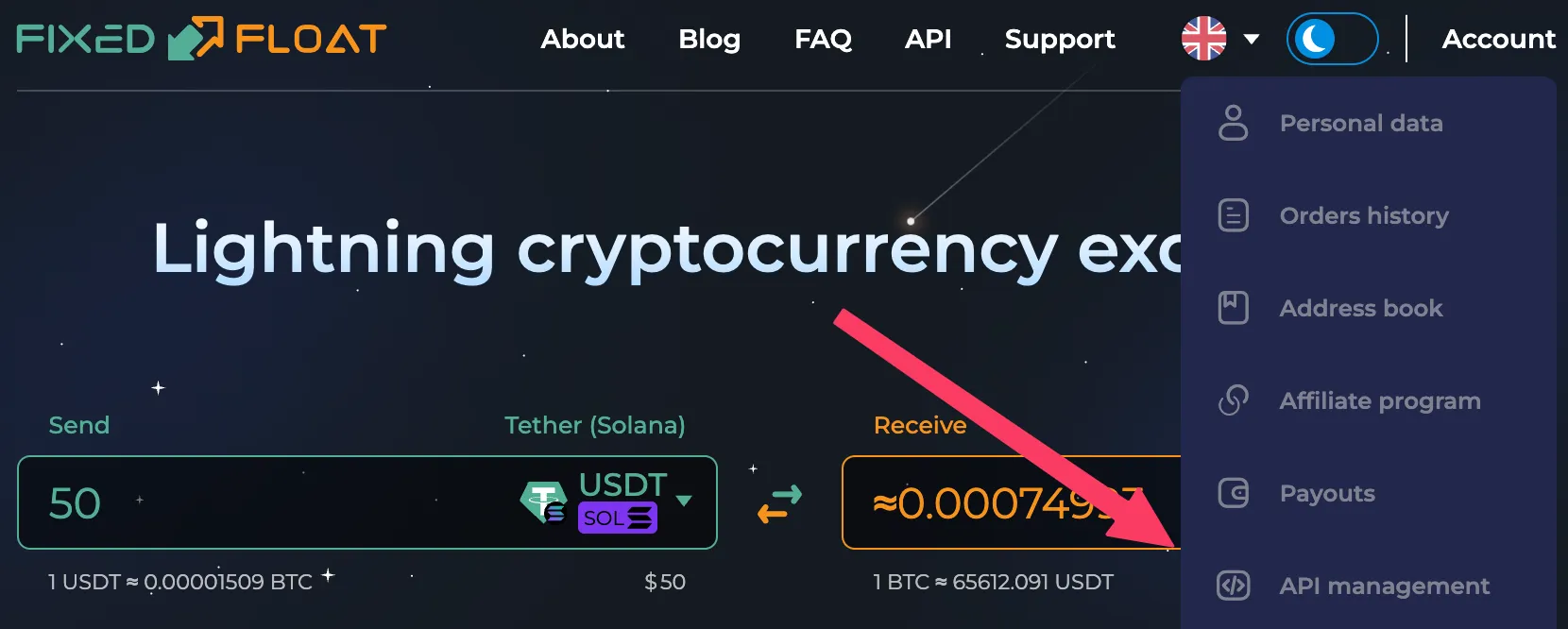
FixedFloat Account menu with API management highlighted
Open the Account menu and choose API management.
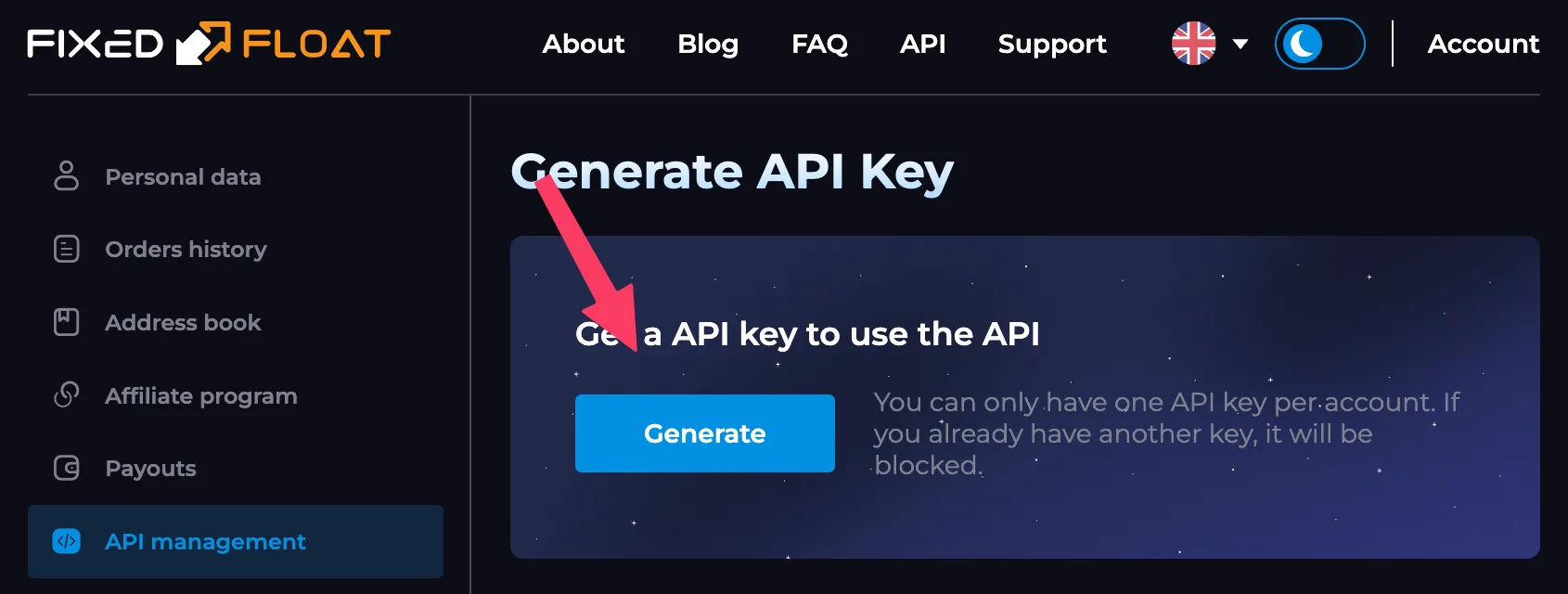
FixedFloat Generate API Key page with Generate button highlighted
Tap Generate to create your API key.
  1. Go to ff.io and sign in.
  2. Open Account, then choose API management.
  3. Tap Generate. FixedFloat allows one API key per account.
  4. Copy the API key and the API secret.
  5. Drop both into the Lightning Swap Connect URI below, keeping ff.io as the host.
  6. Set the finished URI on your server as LSC_URI_PRIMARY (or LSC_URI_BACKUP, which is consulted only when the primary is unreachable).

Build your Lightning Swap Connect URI

One URI carries the host, the key, and the secret. Replace the two highlighted placeholders with your FixedFloat values — everything else stays exactly as shown.

LSC_URI_PRIMARY=lightning+swapconnect://ff.io/?key=YOUR-KEY-HERE&secret=YOUR-SECRET-HERE
  • ff.io FixedFloat’s API host — leave it as it is.
  • YOUR-KEY-HERE Your FixedFloat API key.
  • YOUR-SECRET-HERE Your FixedFloat API secret.

Store the finished URI as one secret and keep it on the server — it is a bearer credential for your FixedFloat key.

Advanced

Build your own

Build your own altcoin → Lightning swap provider by conforming to the Lightning Swap API, which is a subset of the FixedFloat API.

Point OpenReceive at your service the same way you would Lightning Swap or FixedFloat: construct your own Lightning Swap Connect URI — your host, your API key, your API secret — and set it as LSC_URI_PRIMARY.

LSC_URI_PRIMARY=lightning+swapconnect://your-swap-host.example/?key=YOUR-KEY-HERE&secret=YOUR-SECRET-HERE
Read Lightning Swap API docs