
OpenReceive for WordPress + WooCommerce
Accept Bitcoin & Stablecoin Payments With WordPress + WooCommerce
Add a self-hosted Bitcoin Lightning and stablecoin gateway to WooCommerce with an installable WordPress plugin. WooCommerce keeps every order, stock change and email; OpenReceive settles the payment in your wallet.
Tested live · Oct 6, 2026 · 0.4.18
Copy agent directions — Paste into Claude Code, Codex or Cursor to add OpenReceive to your WordPress + WooCommerce app.
Why OpenReceive
- Native WooCommerce checkout. Classic and block checkout both return the customer to WooCommerce's order-pay page, while payment completion stays in WooCommerce's normal order lifecycle.
- No separate payment service. The plugin stores durable payment attempts in the existing WordPress database and ships its checkout assets inside the installable zip.
- Receive-only wallet permissions. The gateway verifies the NWC code before saving and refuses spend-capable credentials unless the merchant explicitly overrides the guard.
- Stablecoins, optional. An optional LSC provider lets customers pay in USDT, USDC, ETH or SOL while the merchant still receives Bitcoin in the configured wallet.
See the plugin at work
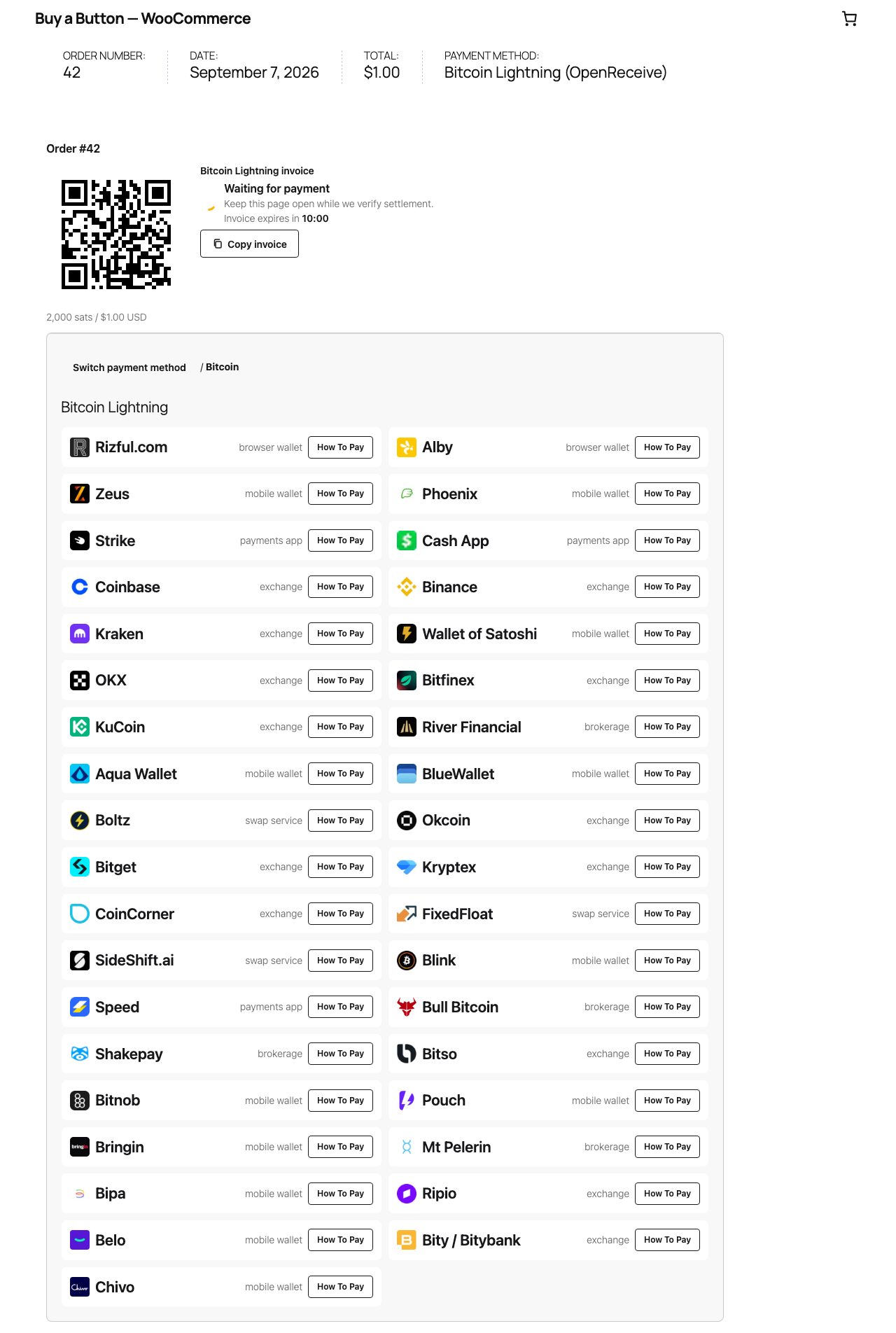
Receive Bitcoin Lightning payments directly into your wallet. WooCommerce owns orders, prices, stock and email; the bundled PHP engine owns payment attempts in the existing WordPress database. Both classic and block checkout use the same OpenReceive checkout on the order-pay page. HPOS is supported.
OpenReceive supports optional swaps from USDT, USDC, SOL, and ETH through a configured swap provider. The provider converts the payment to BTC over Lightning, which settles into the merchant’s connected wallet. Available assets and networks depend on the provider; swaps are optional.
Install
Requires WordPress 6.6+, WooCommerce 9+, PHP 8.2+ (64-bit), GMP, sodium and MySQL 8 or MariaDB 10.5+. SQLite WordPress is not supported. Many hosts leave GMP off; WordPress hosting requirements shows how to check and enable it.
Install a built openreceive-wordpress-<version>.zip through Plugins → Add
New → Upload Plugin, then configure WooCommerce → Settings → Payments →
OpenReceive. The source directory is not an installable plugin archive.
The WooCommerce quickstart covers credentials, guest recovery, scheduled reconciliation and refunds. The Docker demo runs a real WordPress shop and WooCommerce checkout using the shared demo product catalog.
Build from source
Build locally (PHP, Composer, Node and WP-CLI are required):
npm ci
npm run build:packages
composer install --working-dir=packages/php/wordpress
npm run release:wordpress:build
If WP-CLI is a local phar, set OPENRECEIVE_WP_CLI=/absolute/path/wp-cli.phar.
The archive includes namespace-isolated PHP dependencies and the complete standalone checkout assets; it loads no browser CDN dependencies.
Operate your store
Run wp openreceive doctor for configuration and schema checks,
wp openreceive test-invoice <order-id> to mint a real invoice for an unpaid
OpenReceive order, and wp openreceive reconcile for a gated reconciliation
pass. The optional
wp openreceive notifications command runs as a separate process. Action
Scheduler provides the default background safety net. A real cron runner is
needed if the store receives no visits; the web process starts no timer.
onPaid commits settlement metadata inside the same database transaction as
the payment attempt. afterPaid calls WooCommerce payment_complete after
commit. A durable order marker allows checkout requests and scheduled passes
to repair interrupted completion; a database lock serializes completion per
order. WooCommerce handles stock, emails and its payment note. Cancelled or
refunded orders require merchant review and are never reopened automatically.
Merchant refunds are manual because the wallet is receive-only. Payer swap refunds remain available through the authorized order-pay link. Deactivation retains attempts. Uninstall removes them only when explicitly configured.
Agent skills
For development, run npx skills add OpenReceive/openreceive in your project.
The merchant plugin archive does not bundle agent skills. See
agent setup for project installation and
Claude Code setup.
Set up
Requires WordPress ≥ 6.6, WooCommerce ≥ 9, PHP ≥ 8.2, GMP and sodium.
1. Get a receive-only NWC code — get one here. It can issue invoices and watch for payment, and it can never spend from your wallet.
2. Get an LSC code for swaps (optional) — from a swap provider, only if customers should be able to pay in USDT, USDC, ETH or SOL.
3. Install the plugin
Plugins → Add New → Upload Plugin4. Connect the wallet — paste the NWC code into the store's OpenReceive settings and test the connection; add the LSC code to switch swaps on.
Full WordPress + WooCommerce quickstart · Plugin source
Practical questions
- Which currencies can customers pay with?
- Bitcoin over Lightning, always. With a swap provider configured, also USDT on Tron, Solana or Ethereum, USDC on Solana or Ethereum, ETH and SOL, each converted into the same Lightning payment. Automated swaps guide
- Where does the Bitcoin go?
- Into the wallet behind the store's receive-only NWC code. The plugin records settlement durably, then calls WooCommerce payment_complete so stock, status and emails follow the store's normal workflow. WooCommerce quickstart
- What wallet do I need?
- Any wallet that issues receive-only NWC (Nostr Wallet Connect) codes, hosted or self-run. The code must be able to create invoices and read their status, and must not be able to spend. Get a receive-only NWC code
- What does it cost?
- OpenReceive is open source and free. Fees charged by your wallet provider, by a swap provider or by Lightning routing belong to those services and are outside OpenReceive's scope.
- What do I need to deploy?
- WordPress 6.6 or later, WooCommerce 9 or later, 64-bit PHP 8.2 with GMP and sodium, and the built OpenReceive plugin zip. The WordPress server needs neither Node nor Composer. WooCommerce quickstart
Add OpenReceive to your WordPress + WooCommerce app
Copy agent directions · Full quickstart · Example repository · API reference · Guides